
1.1 . Create your temporary access pass
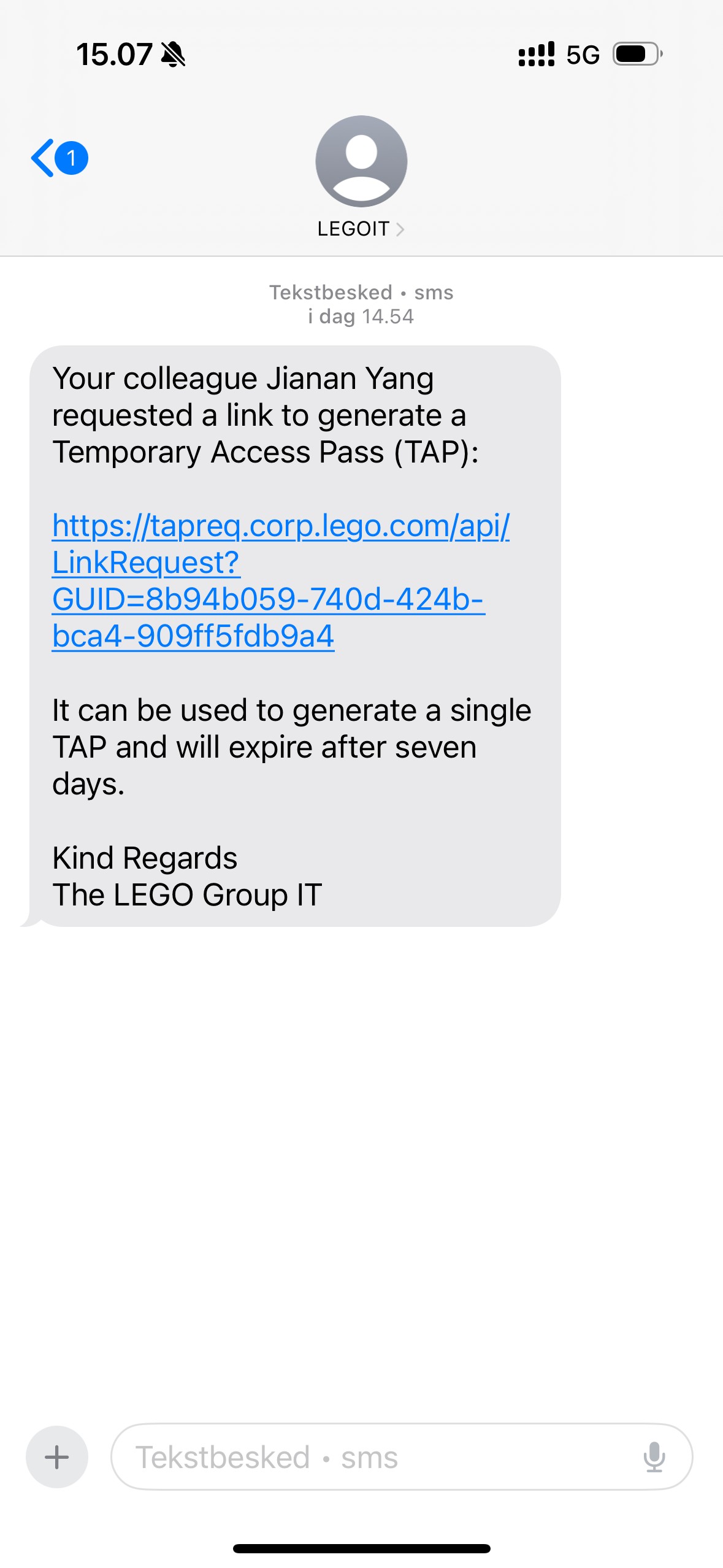
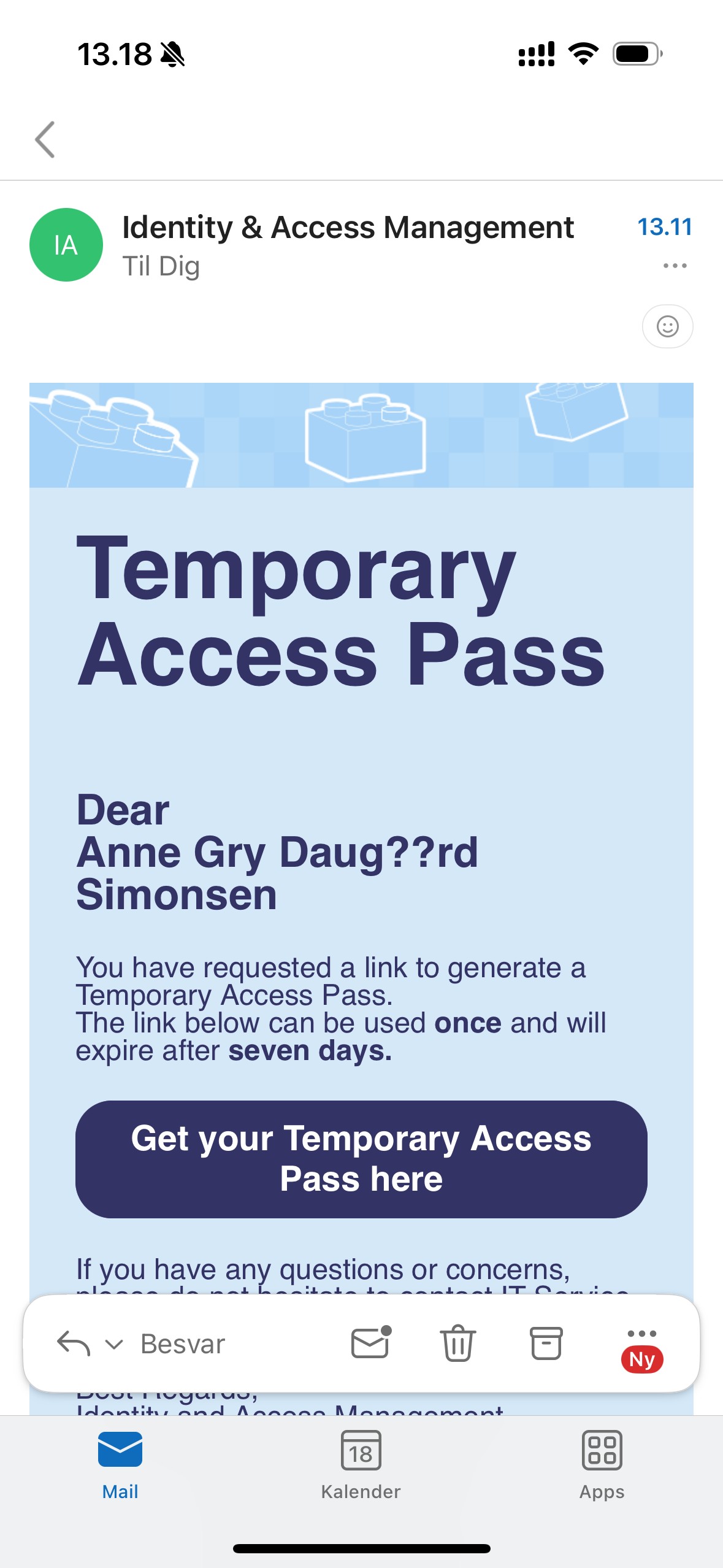
Open the link in your email or message – see the images below.

Where do I find the link?


Start by checking your email or messages
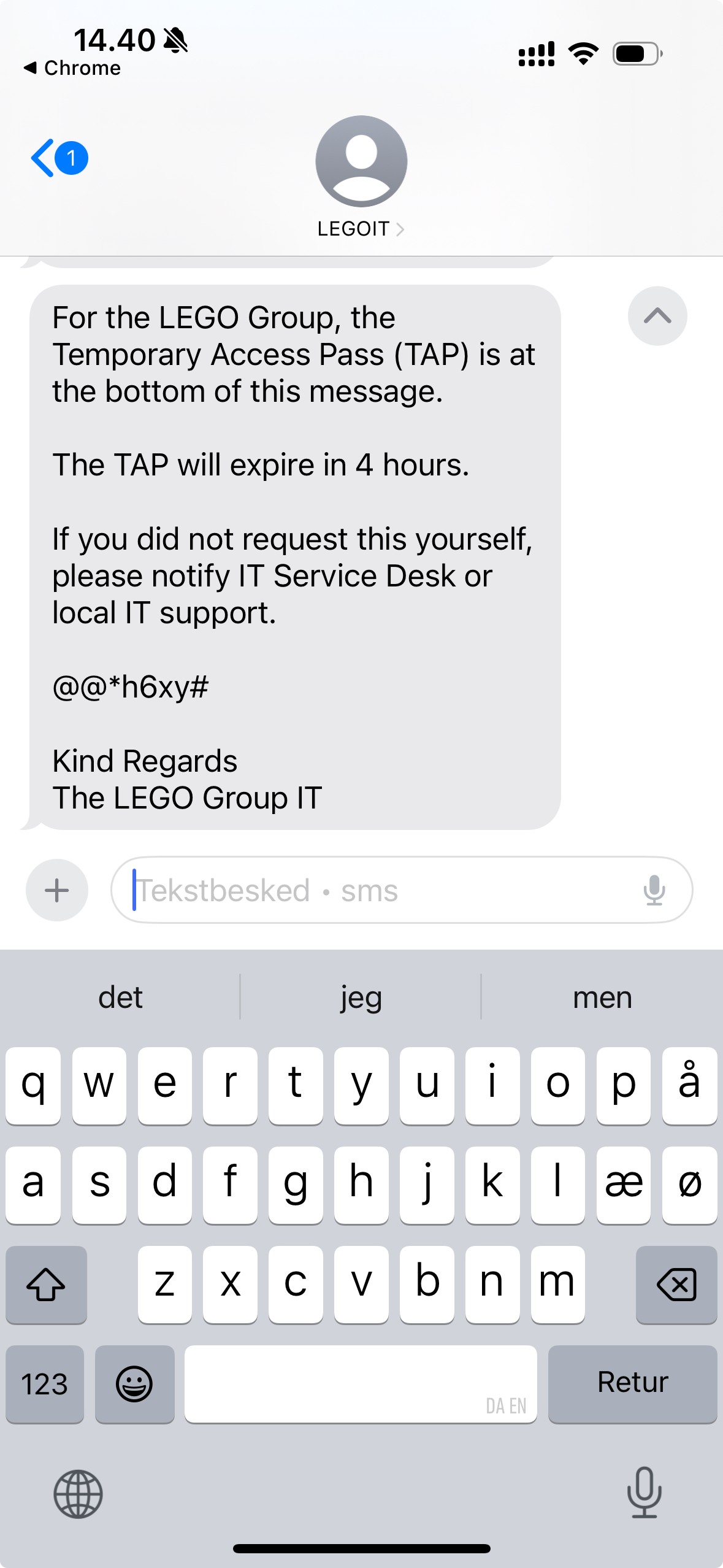
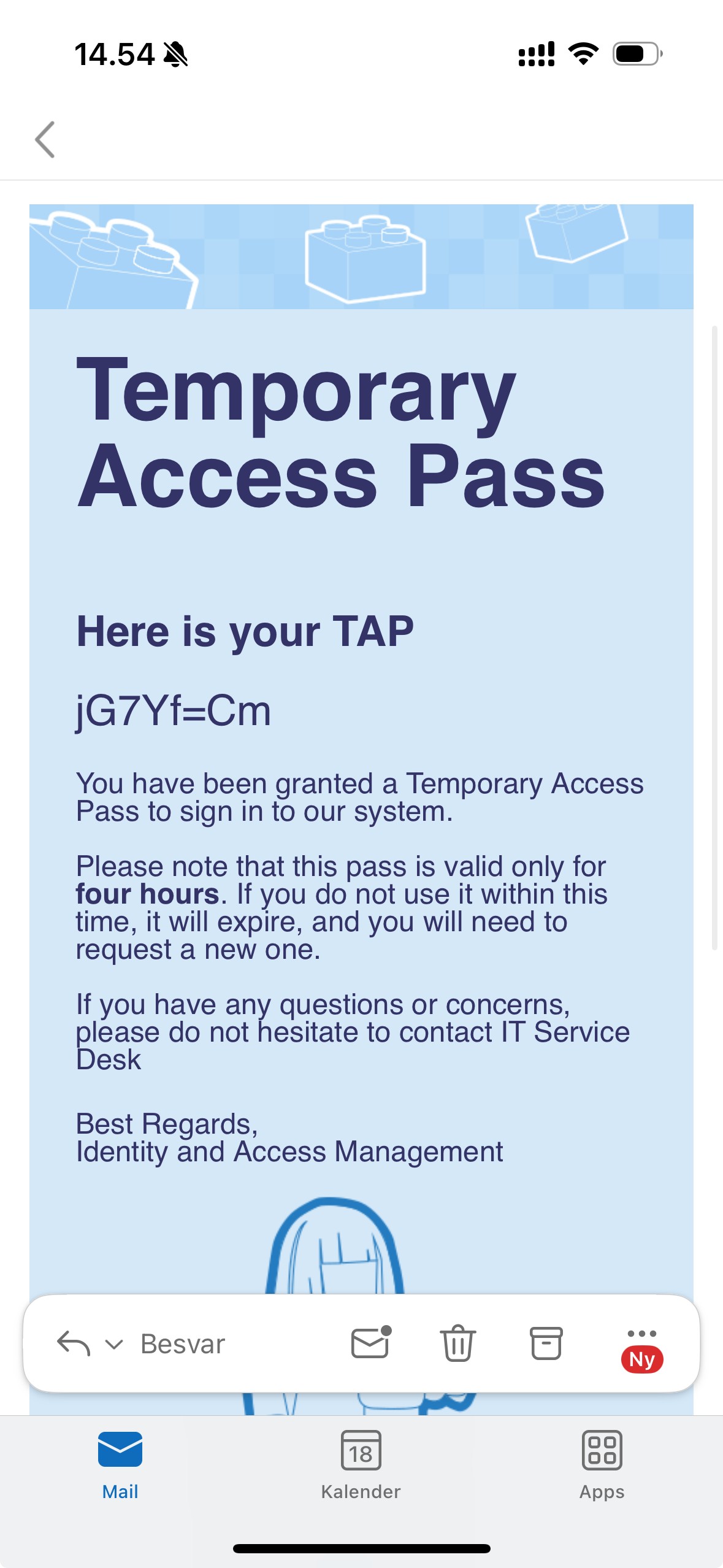
The link should have requested for you by a LEGO colleague. Open the link, and your temporary access pass will be sent in a follow-up message.
What if the link is not there?
- Visit tap.corp.lego.com on a LEGO device.Use a shared device if possible, or ask a colleague or manager to request it for you.
- Enter your employee ID and click Next.
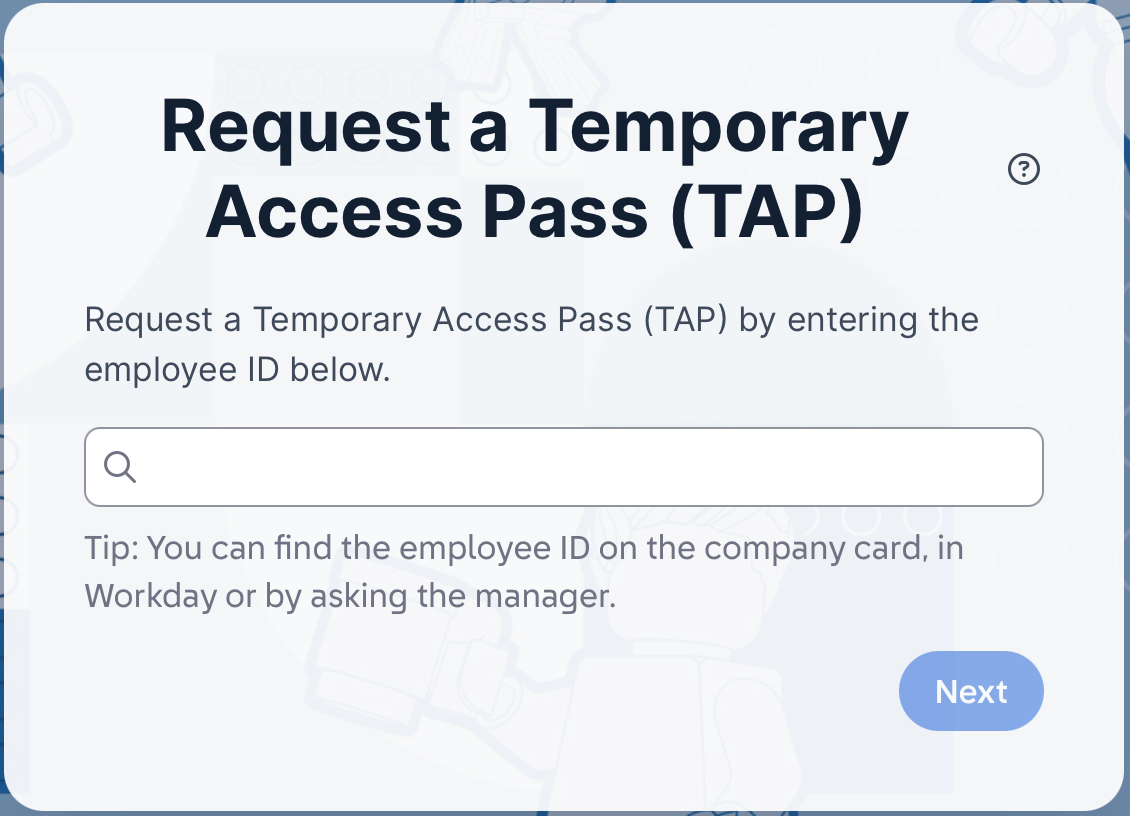
- Choose where to receive the link and click "Send".
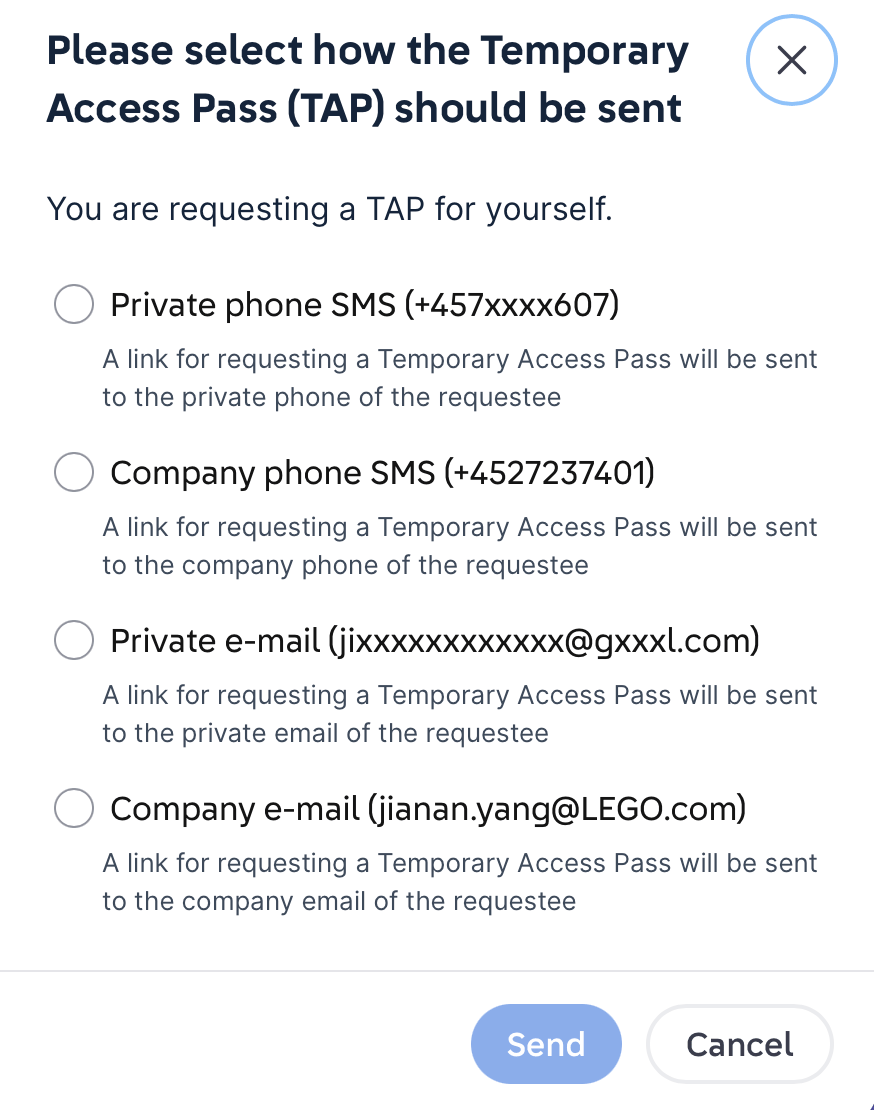
- Check the selected email or phone number. Your link should arrive shortly.
- Open the link to receive your temporary access pass.
The link expires after 7 days. Once opened, the temporary access pass is valid for 4 hours.

1.2 Save it for the next step
Find your Temporary Access Pass in the follow-up message.


1.1 Create your temporary access pass
Open the link in your email or message – see the images below.
Where do I find the link?

Start by checking your email or messages
The link should have requested for you by a LEGO colleague. Open the link, and your temporary access pass will be sent in a follow-up message.
What if the link is not there?
- Visit tap.corp.lego.com on a LEGO device.Use a shared device if possible, or ask a colleague or manager to request it for you.
- Enter your employee ID and click Next.
- Choose where to receive the link and click "Send".
- Check the selected email or phone number. Your link should arrive shortly.
- Open the link to receive your temporary access pass.
The link expires after 7 days. Once opened, the temporary access pass is valid for 4 hours.

1.2 Save it for the next step
Find your Temporary Access Pass in the follow-up message.


1.1 Create your temporary access pass
Open the link in your email or message – see the images below.
Where do I find the link?

Start by checking your email or messages
The link should have requested for you by a LEGO colleague. Open the link, and your temporary access pass will be sent in a follow-up message.
What if the link is not there?
- Visit tap.corp.lego.com on a LEGO device.Use a shared device if possible, or ask a colleague or manager to request it for you.
- Enter your employee ID and click Next.
- Choose where to receive the link and click "Send".
- Check the selected email or phone number. Your link should arrive shortly.
- Open the link to receive your temporary access pass.
The link expires after 7 days. Once opened, the temporary access pass is valid for 4 hours.

1.2 Save it for the next step
Find your Temporary Access Pass in the follow-up message.