

3.1 Set up Microsoft Authenticator
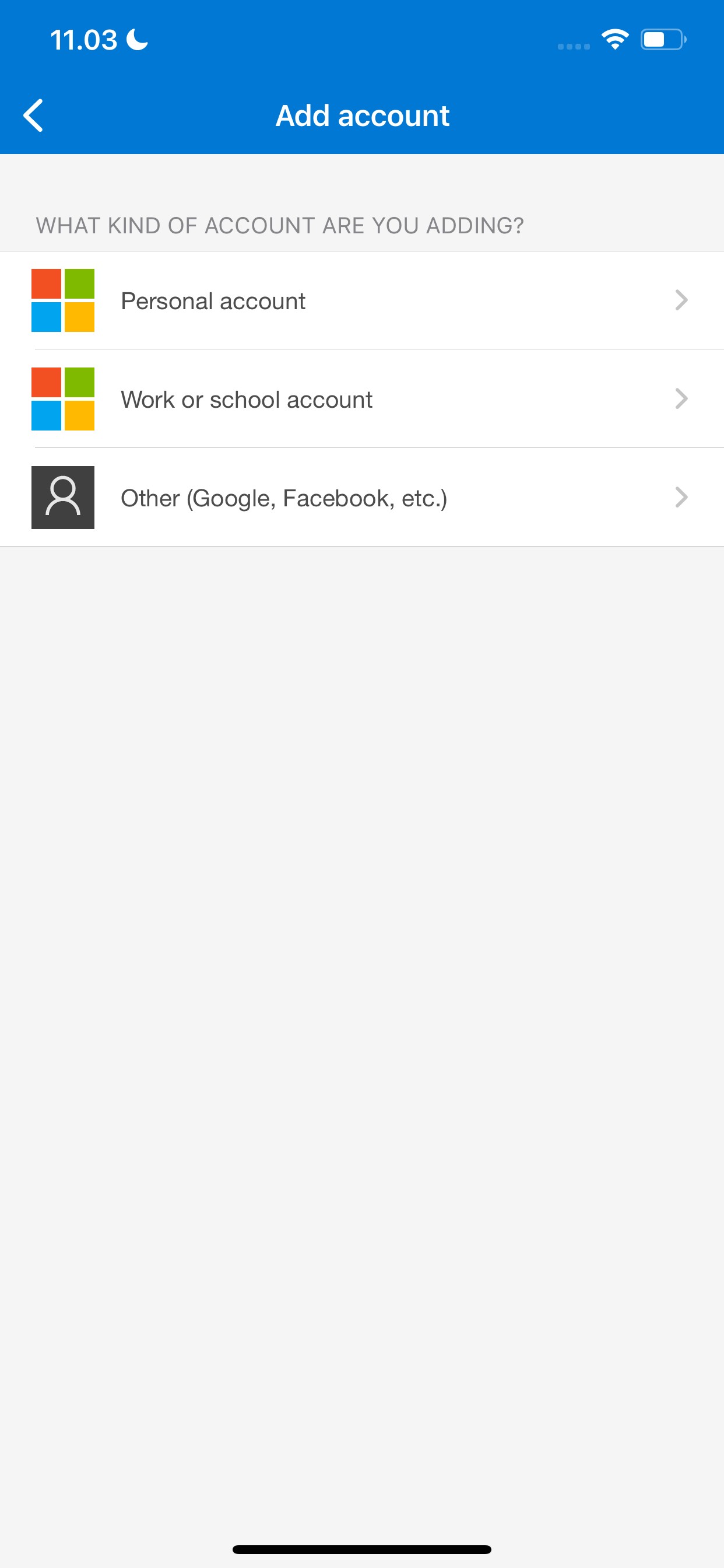
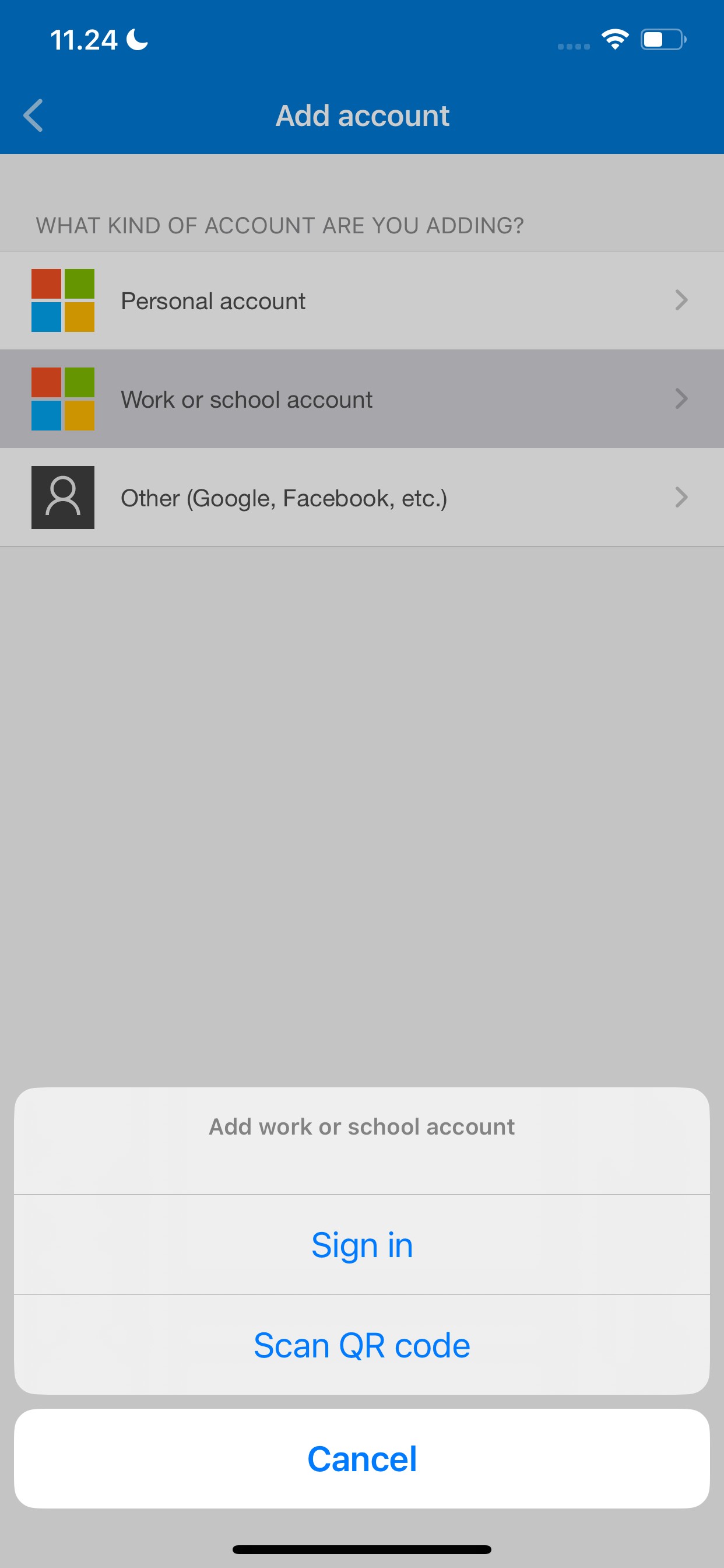
Open the app, select Add account, choose Work or school account and Sign in.
Pause here and take a look at the next step before continuing.

Landed on your personal account?

3.2 Sign in with your temporary access pass
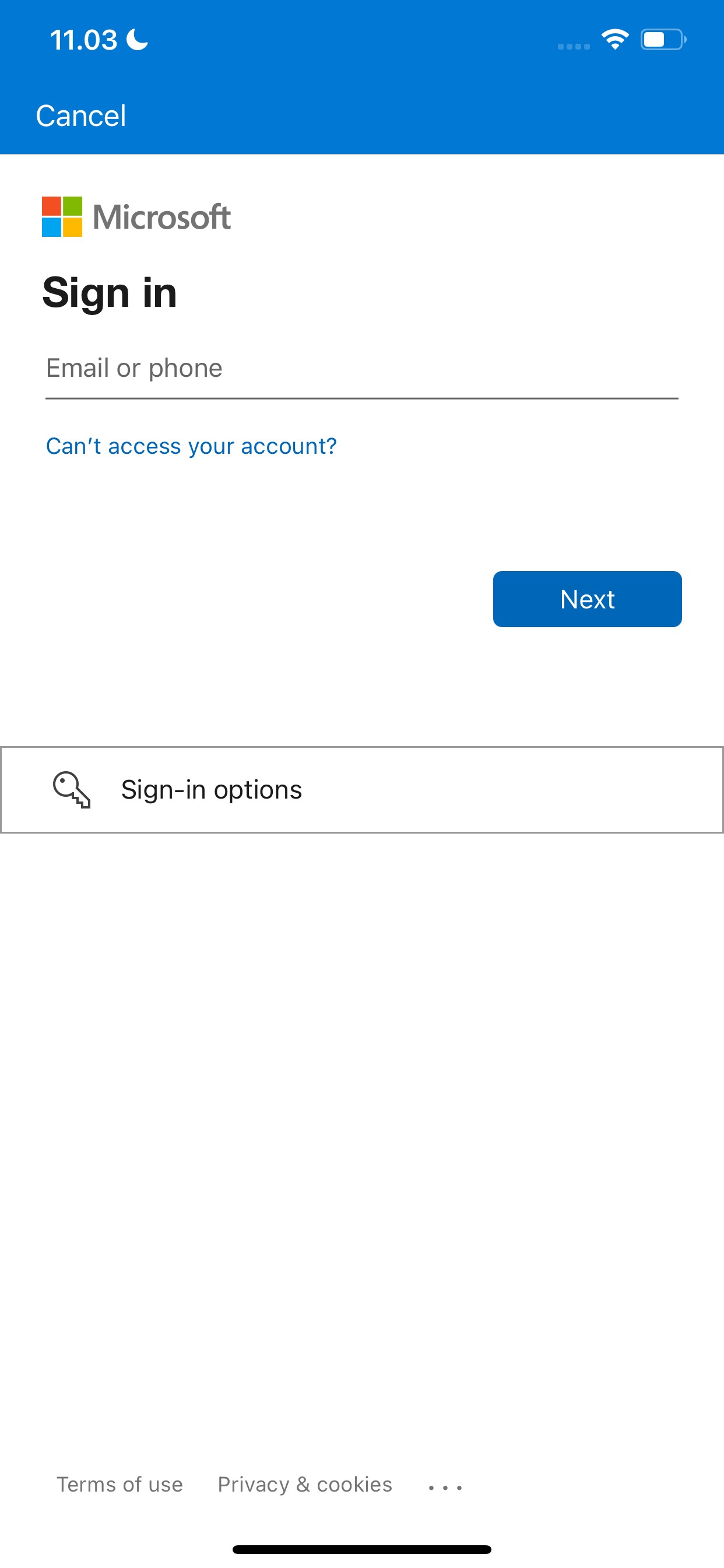
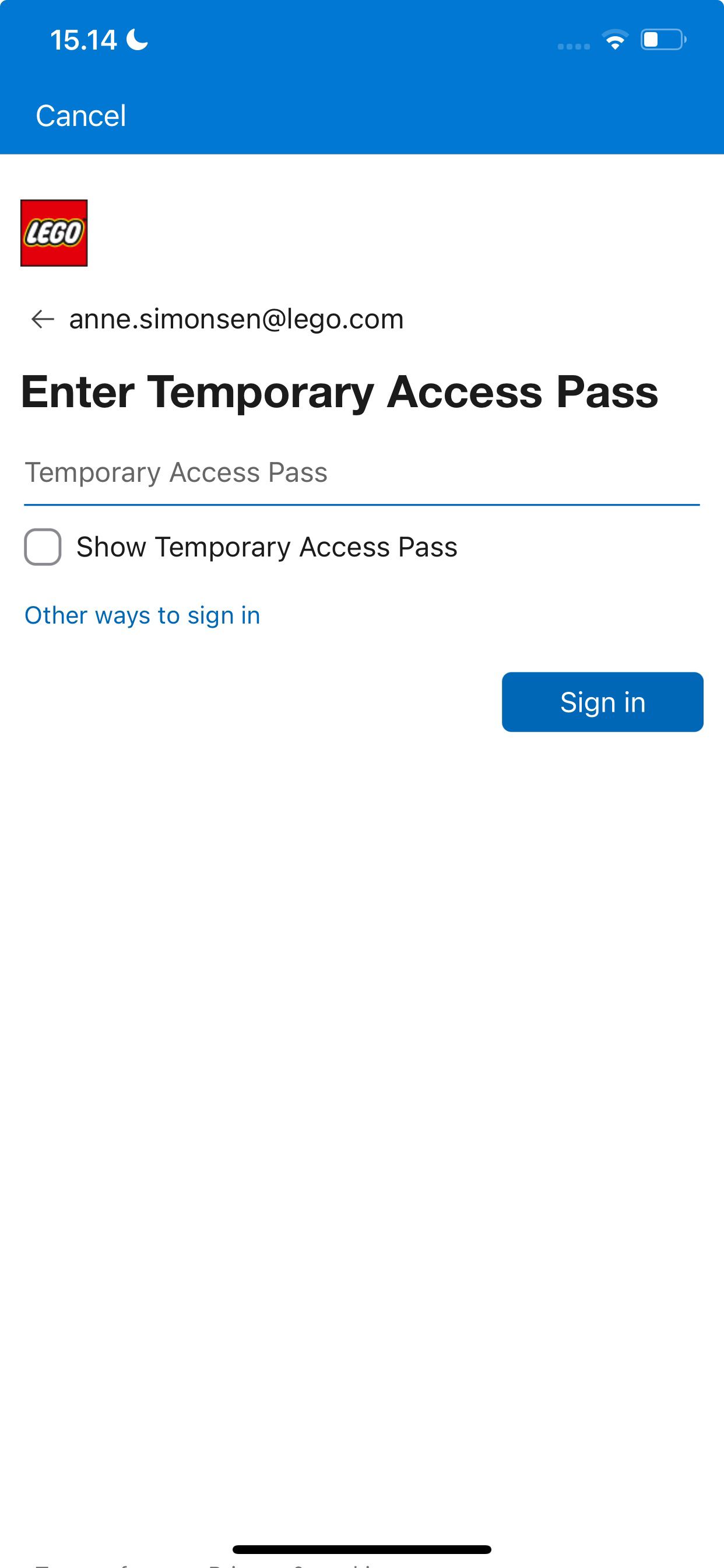
Use your work email and the temporary access pass – not a regular LEGO password.
3.3 Register your device in Microsoft Authenticator
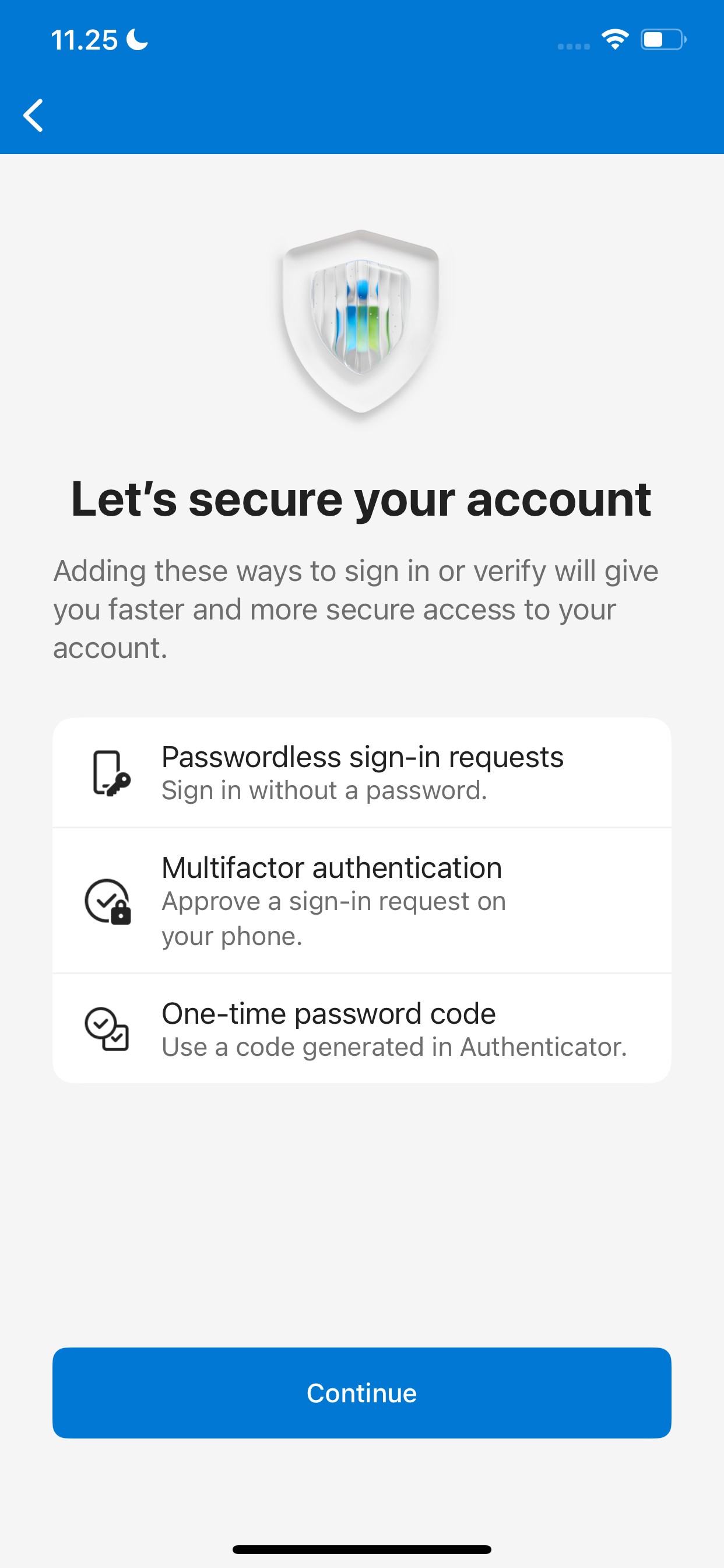
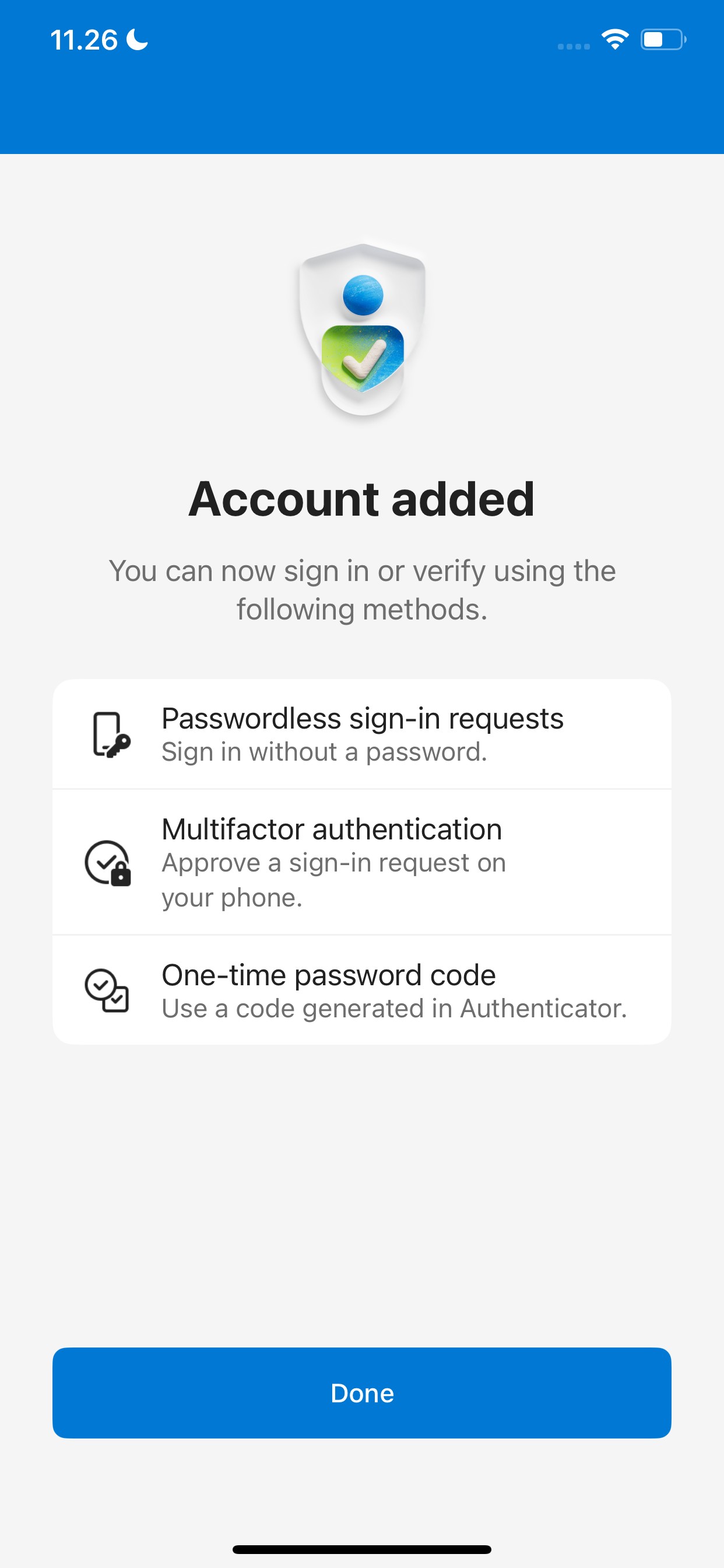
Follow the instructions and enter your phone’s passcode to complete the setup.


3.1 Set up Microsoft Authenticator
Open the app, select Add account, choose Work or school account and Sign in.
Pause here and take a look at the next step before continuing.
Landed on your personal account?

3.2 Sign in with your temporary access pass
Use your work email and the temporary access pass – not a regular LEGO password.
3.3 Register your device in Microsoft Authenticator
Follow the instructions and enter your phone’s passcode to complete the setup.
3.1 Set up Microsoft Authenticator
Open the app, select Add account, choose Work or school account and Sign in.
Pause here and take a look at the next step before continuing.
Landed on your personal account?

3.2 Sign in with your temporary access pass
Use your work email and the temporary access pass – not a regular LEGO password.
3.3 Register your device in Microsoft Authenticator
Follow the instructions and enter your phone’s passcode to complete the setup.